Finding the right job often comes down to timing—and being among the first applicants can dramatically increase your chances of landing an interview. That’s why learning how to get email alerts for LinkedIn new jobs posted is one of the smartest moves you can make in your job search. LinkedIn job alerts work like a personal job-hunting assistant, scanning the platform every day and notifying you the moment a new opportunity matches your criteria.
Below, you’ll learn exactly how to set up, customize, and optimize your alerts so you always stay ahead of other candidates.
Why LinkedIn job alerts give you a competitive edge
LinkedIn job alerts are personalized notifications that let you know when roles matching your selected titles, keywords, or locations go live. Instead of manually searching every day, LinkedIn does the heavy lifting for you.
Once you create an alert, LinkedIn automatically sends updates—via email, push notification, or both—letting you respond to new listings before they’re flooded with applicants. Whether you’re actively job-hunting or just exploring options, this feature makes your search faster, more organized, and more effective.
How to set job alerts up on LinkedIn
Setting up job alerts on LinkedIn takes less than a minute. Once enabled, you’ll start getting notifications for job openings that closely match your chosen preferences.
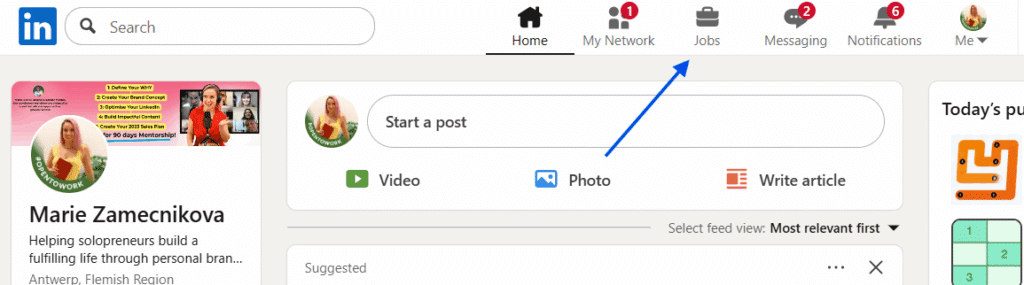
1. Go to the Jobs tab
Click the briefcase icon at the top of your LinkedIn homepage to open the Jobs section.
2. Search for the role you want
Type in a job title, keyword, or company—for example Marketing Manager, Data Analyst, or Sales Executive. Add a specific location or choose Remote if you’re location-flexible. If you want to narrow your search further, click All Filters and refine results by:
- Experience level
- Job type (remote, hybrid, on-site)
- Industry or company
- Date posted

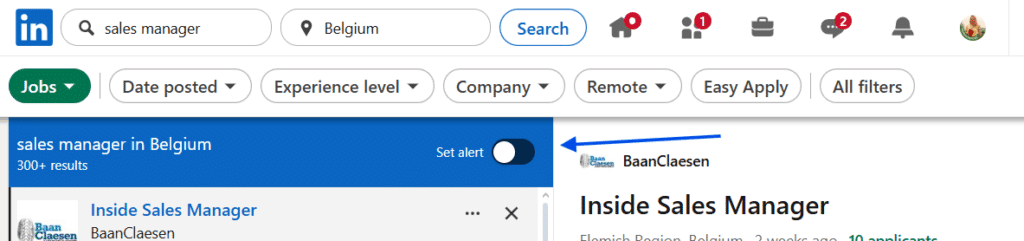
3. Turn on your job alert
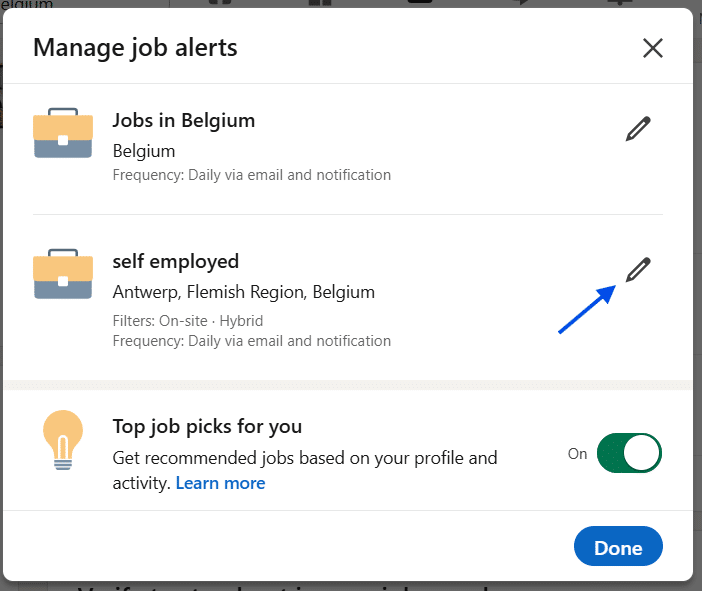
Above the search results, click the Set Alert checkbox or bell icon. Once it turns blue, your alert is active. You’ll also see a confirmation message: “Your job alert was created.” If you wish to edit notification preferences, click the “Manage alerts” button.
4. Customize your alert preferences
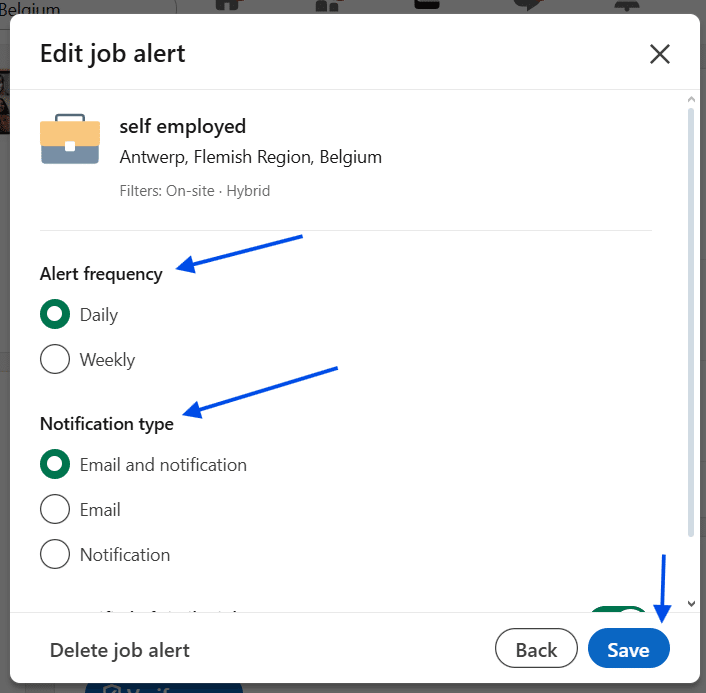
LinkedIn lets you tailor each alert to match exactly how often and how you want to receive updates:
- Frequency: daily or weekly
- Notification method: email, push notification, or both
- Similar Jobs: on/off, depending on how broad you want your results
Click Save to finalize your preferences.

Pro tip: You can create multiple alerts—one for “Product Manager,” another for “Growth Marketer (Remote),” and another for your local city. This helps you compare opportunities efficiently.
How to get the most out of LinkedIn job alerts
To make job alerts even more effective, use these advanced strategies.
Use precise keywords
Instead of broad terms like “Marketing,” use specific job titles such as:
- “B2B Content Strategist”
- “Front-End Developer React”
- “Sales Operations Manager”
This ensures your alerts match roles closely aligned with your experience.
Customize remote and location filters
If you want flexibility, enable the Remote filter. You can create multiple alerts—for example, one for Remote and one for California—to compare options.
Follow companies you care about
When you follow a company, LinkedIn prioritizes its job postings in your alerts. You may see openings even before they gain wider visibility.
Optimize your LinkedIn profile
Job alerts help you find openings—but your profile helps recruiters find you. Add keywords related to your target roles to your headline, About section, and Skills.
Use “Open to Work”
Enabling the “Open to Work” feature improves your visibility and helps LinkedIn match alerts to your preferences more accurately.
Learning how to get email alerts for LinkedIn new jobs posted is one of the most effective ways to stay ahead in your job search. By setting precise alerts, tailoring your preferences, and optimizing your profile, you turn LinkedIn into a 24/7 personal recruiter—one that never misses an opportunity.