Have you ever turned on the green Open to work badge on LinkedIn? It’s a useful feature when you’re actively job hunting. But once you land a role, change strategy, or simply want a cleaner profile, that badge can work against you. Recruiters, clients, and even your current employer may read more into it than you intend.
That’s why so many people search for remove open to work LinkedIn every month. The good news is that turning it off takes less than a minute if you know where to look. The bad news is that LinkedIn hides the option just enough to confuse people. Here’s exactly how to remove Open to work on LinkedIn, plus a few things to check.
Why you might want to remove open to work on LinkedIn
Before jumping into the steps, it helps to be clear on why this matters. The Open to work badge is public by default. Anyone who views your profile can see it. That includes recruiters you don’t want to hear from, clients who might question your availability, or colleagues who weren’t supposed to know you were looking. Even if you set it to “recruiters only,” it’s not invisible. LinkedIn itself admits there’s no perfect privacy filter. So if you’re no longer actively job hunting, removing it is usually the safest move.
How to remove open to work on LinkedIn from desktop
This is the most common way people manage their profiles:
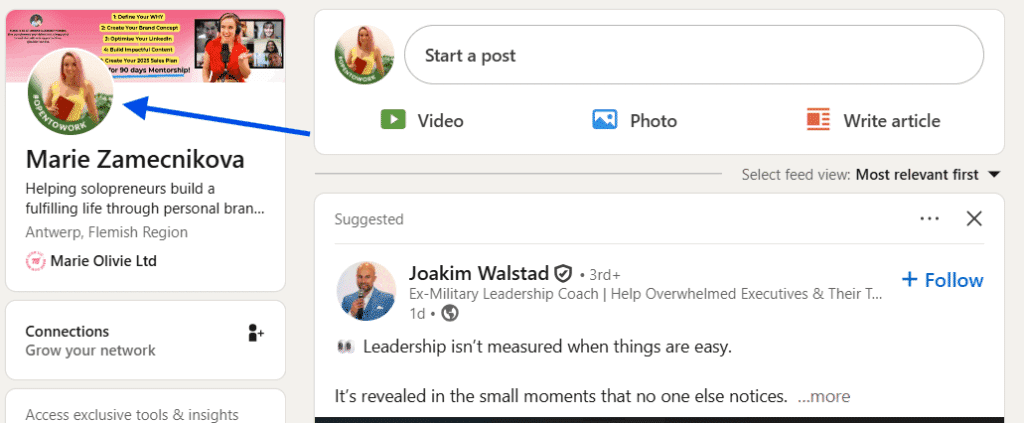
Log in to LinkedIn on your computer, then click your profile picture at the top and go to “View profile” or your profile picture next to your feed.
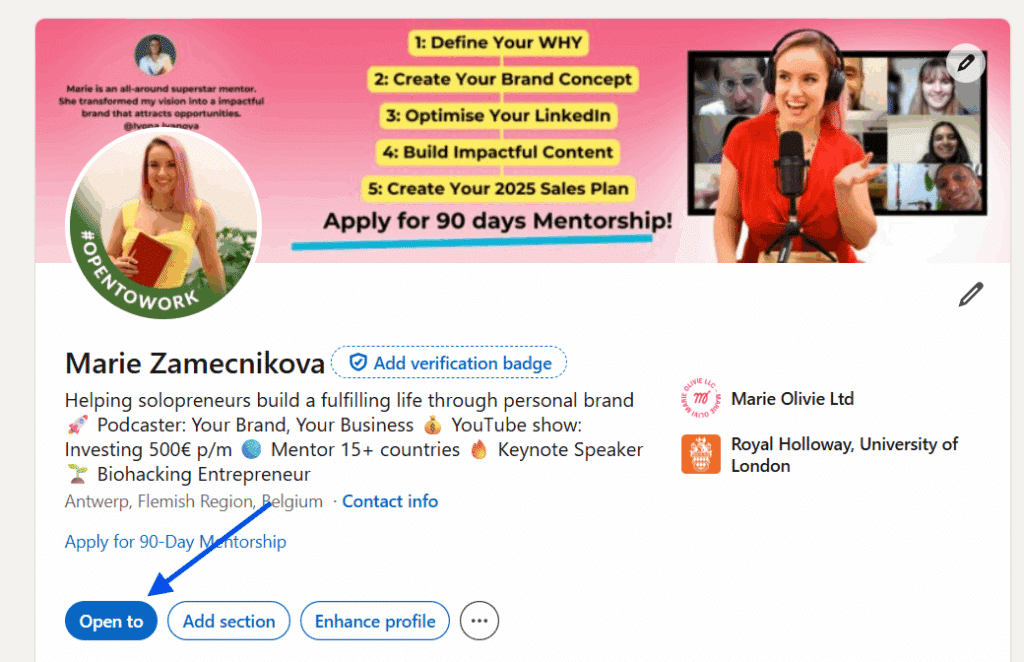
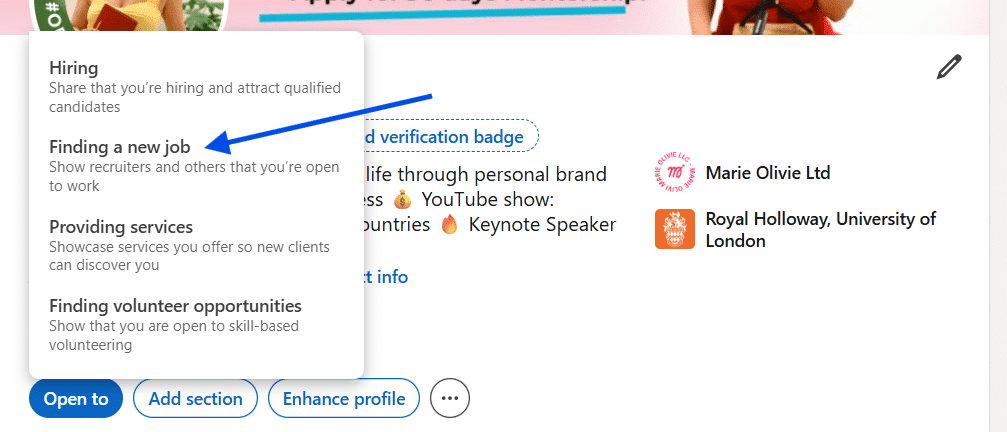
Under your headline, find the Open to section. Click it, then click the “Finding a new job” option.
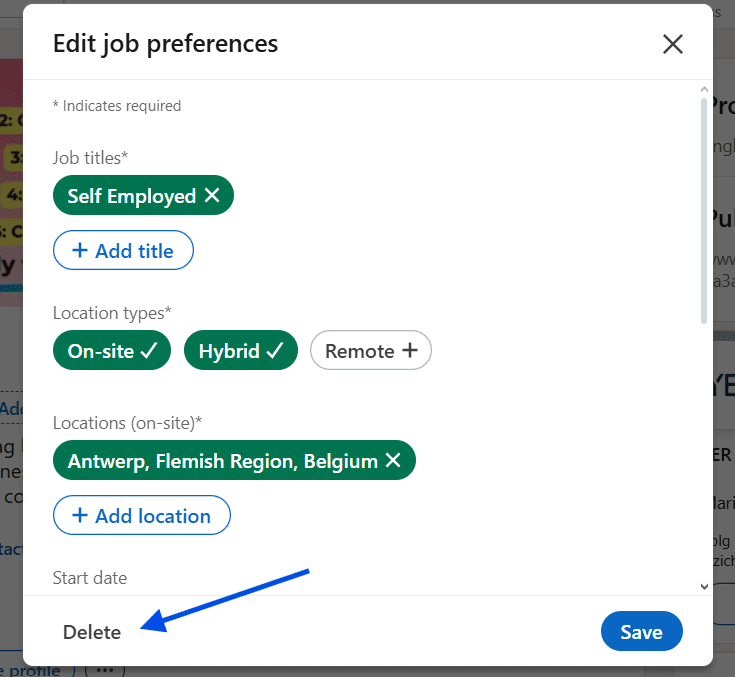
Click “Delete”. You will see a small link that says “Delete”. This option removes the entire Open to Work section, including the green photo frame. LinkedIn will ask you to confirm. Click Delete.
That’s it. The badge disappears immediately, and your profile goes back to normal.
Common issues when trying to remove open to work LinkedIn users face
A few problems come up again and again. One is editing the headline instead of the Open to work section. Changing your headline does nothing to remove the badge. Another is leaving too quickly. If you close the screen without tapping the delete button at the bottom, LinkedIn won’t apply the change.
What recruiters see after you remove it
Once removed, recruiters no longer see you marked as actively job hunting. Your profile behaves like any standard LinkedIn profile. This doesn’t hurt your chances long term. Recruiters still find candidates through keywords, experience, and activity. In fact, many prefer reaching out to people who look settled and confident rather than openly searching.
When it actually makes sense to keep it on
There are times when Open to work is useful. If you’re early in your search, changing careers, or unemployed and want speed, it can help. But it’s not meant to be permanent. Think of it like a temporary sign, not part of your personal brand.
Knowing how to remove Open to work on LinkedIn gives you control over how you’re perceived. It’s a small setting with an outsized impact. If your situation has changed, take a minute and turn it off. Your profile should reflect where you are now, not where you were months ago.