Does your LinkedIn profile stand out? Does it spar people’s curiosity? You might be missing opportunities just because of wrong visuals. Let’s uncover why your featured image is more powerful than you might think and how to update it in just a couple minutes.
The overlooked power of visuals on your profile
When most people update their LinkedIn, they focus on their headline, summary, or experience. But visuals – especially the featured image section – often get overlooked. And that is a mistake. Your featured image is one of the first things visitors notice, and it has the power to shape perceptions instantly.
First impressions drive trust
We form opinions in seconds. On LinkedIn, where credibility is everything, a professional and engaging featured image can make the difference between someone trusting you or clicking away. For example, an outdated or irrelevant graphic may give the impression that you’re inactive or not detail-oriented. In contrast, a polished image – whether it’s a snapshot of your work, a published article, or an event photo – instantly communicates professionalism.
How design impacts conversion rates
Marketers have long known that visuals drive conversions, and the same applies to LinkedIn. Profiles with well-designed visuals get significantly higher engagement. A featured image is a silent pitch. The right design can boost profile views, connection requests, and even job offers.
Simple tweaks like using brand colors, clear typography, or showcasing your expertise visually can increase the chances of someone clicking through to your content or reaching out to connect. In other words, design directly impacts how effective your LinkedIn presence is.
How to update your featured section in five minutes
Updating your LinkedIn featured section is easier than you might think. Here’s how to do it step by step:
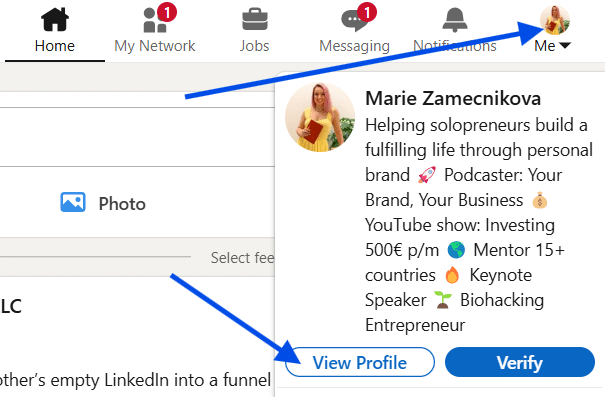
- Go to your profile. Log in and navigate to your profile page.
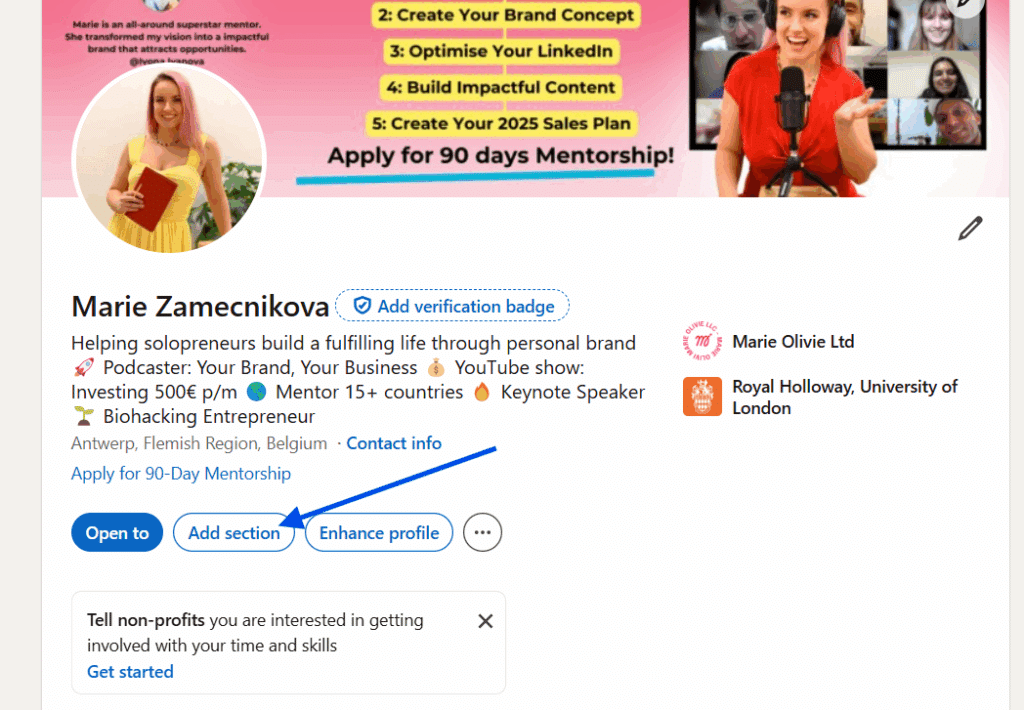
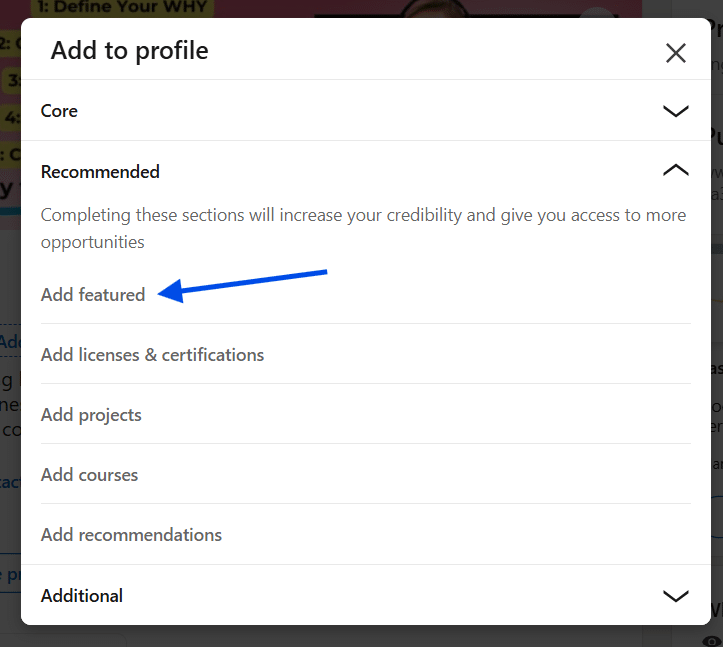
2. Scroll to the “Featured” section. If you don’t see it, click Add section > Recommended > Add featured.
3. Click the plus (+) icon. You’ll see options to add posts, articles, links, or media.
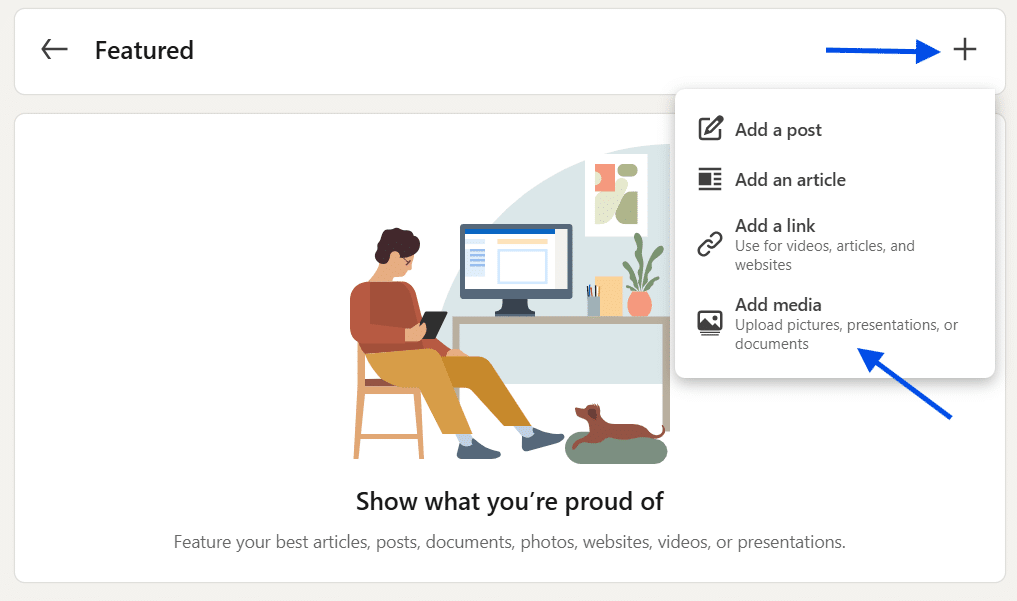
4. Upload or select your visual. This could be a banner image, a screenshot of your work, or even a video thumbnail.
5. Save your changes. Once added, drag and arrange featured items so your best content appears first.
That’s it. In less than five minutes, you can transform how others perceive your profile.
Examples of LinkedIn featured images that actually drive clicks
Not sure what type of image to use? Here are some proven ideas:
- Showcase your expertise. If you’re a designer, feature a sample of your portfolio. If you’re in marketing, display a campaign result snapshot.
- Highlight media coverage. Screenshots of interviews, podcasts, or press mentions instantly boost credibility.
- Promote thought leadership. Use images linked to your blog posts, articles, or LinkedIn posts that reflect your insights.
- Feature events. Photos from conferences, panels, or workshops you’ve participated in add a human and professional touch.
- Incorporate branding. Even simple graphics with your logo, tagline, or company colors can reinforce your personal brand.
Aim for relevance and professionalism. Your LinkedIn featured image should connect with your audience and show them why you’re worth engaging with.
Remember: your LinkedIn profile is more than an online resume – it’s a digital first impression. The featured image might seem small, but it plays a surprisingly big role in building trust, boosting clicks, and opening opportunities. Update yours strategically to stand out from the crowd and make your profile work harder for you.
So, take five minutes today. Swap that outdated visual for one that truly represents your expertise. You might be surprised at how much difference it makes.
